
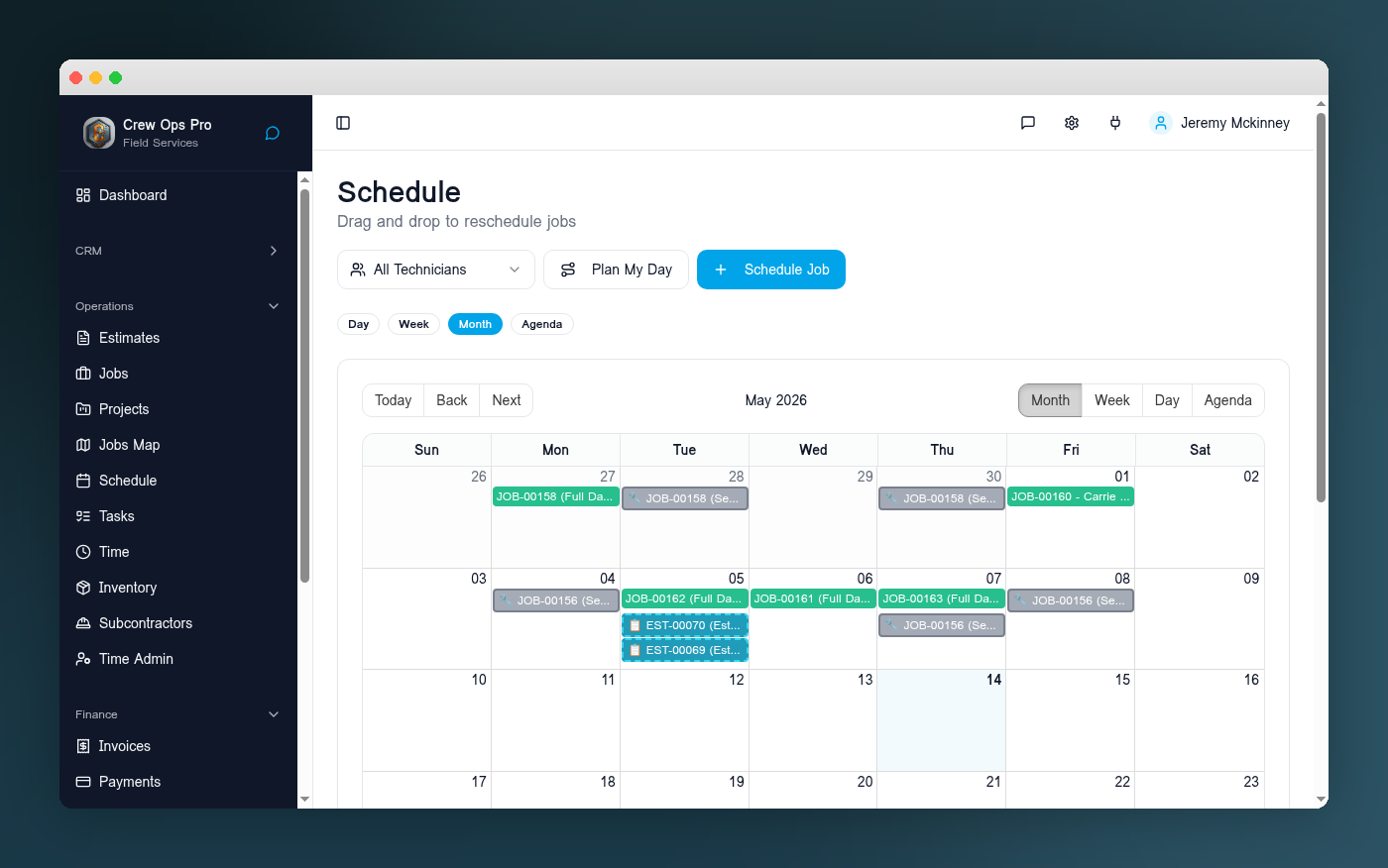
Why scheduling & dispatch matters for a small crew
Drag jobs onto the right tech. Group stops by route. Reshuffle when the inevitable cancellation hits. No double-bookings, no spreadsheet babysitting. That sounds simple on a marketing page, but for a 1–10 person contracting business it's the difference between getting home for dinner and spending another two hours at the kitchen table trying to figure out what got billed, what didn't, and which tech is supposed to be where in the morning. CrewOpsPro is built for the contractor who is doing the work, running the office, and answering the phone — often all at once.
We didn't bolt this feature onto an enterprise platform and ship it. We started with the workflow a real small crew runs every day and worked backward into the software. That's why the scheduling & dispatchworkflow inside CrewOpsPro takes a handful of taps on a phone instead of clicking through three nested menus on a desktop you don't have time to sit at.
What you actually get
Everything listed above is included in the base $39 a month plan for up to ten team members. There is no higher tier that unlocks scheduling & dispatch once you grow. There is no per-user surcharge when you add your fourth tech in the spring. The feature works the same on day one as it does on day three hundred, on a desk in the office or on a phone in the cab of a truck on a job site with two bars of signal.
How scheduling & dispatch fits the rest of the system
CrewOpsPro is one product, not a suite of bolt-ons. Scheduling & dispatch talks to scheduling, scheduling talks to invoicing, invoicing talks to the client portal, and the client portal feeds back into your customer record. You're not jumping between five logins or syncing data between three tools that disagree about what time the job started. One database, one mobile app, one monthly bill.
Getting started
The trial is fourteen days and doesn't require a credit card. Most teams import their customer list and run their first real scheduling & dispatch workflow inside an hour. If you get stuck, email us and a real person who has actually worked in the trades will write back, usually within a few hours during business hours. No chatbots, no offshore script readers, no upsell to a "success plan."